"A Lifesaver and a game changer for musicians on Mac! ⭐️⭐️⭐️⭐️⭐️."
— Amir
"I’m glad you’ve made this because auto-normalization is an issue that’s been driving me crazy for years."
– Robin
"I am discovering samples in libraries which I purchased in past but never knew I had them! It’s like finding bunch of cash inside your old coat pocket!."
– paid back in samples
"Volume Normalizing is huge."
– Kirke
"You have no idea how FAT has improved my workflow in past few hours."
– getting his money's worth
"you’re really onto a winner with this one! Lovin’ it!"
— FAT Feature Forum user @NotMe
Lightning-fast sample browsing
Finder Audio Tools replaces Finder’s preview engine with a much-improved version: instant playback, consistent volumes between samples, and full keyboard control.
Playback Speed Comparison
Finder Audio Tools
0ms (RAM)
Standard Finder
100-500ms (SSD + QuickLook)
FAT achieves sampler-grade performance by preloading audio into RAM and bypassing Quick Look.
A flexible platform for features.
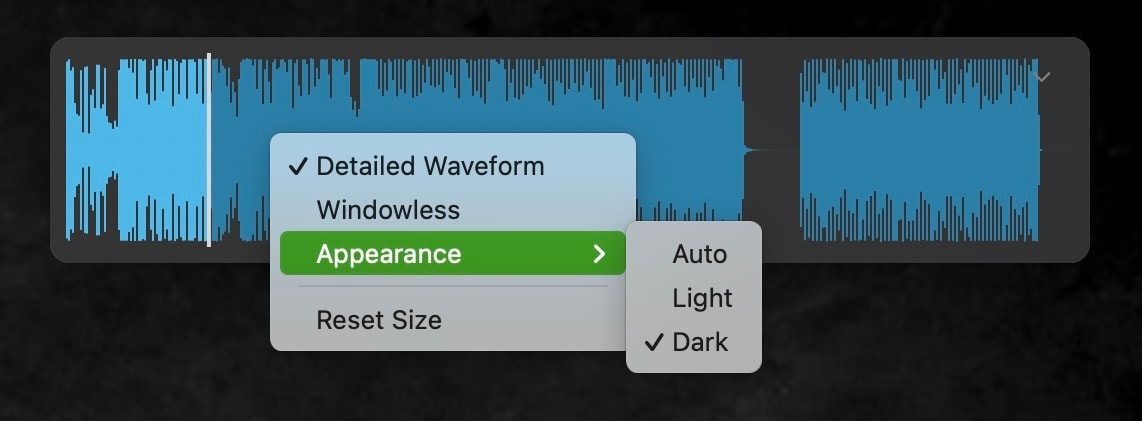
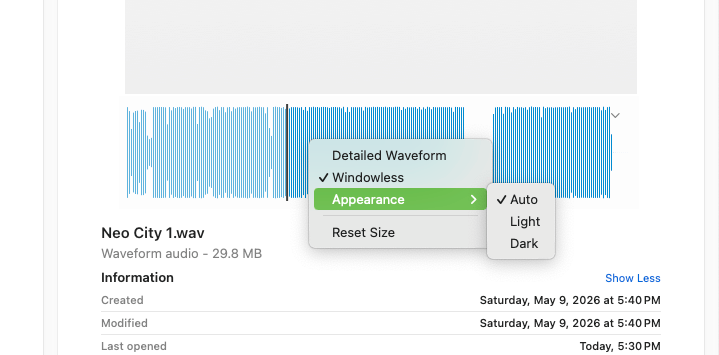
Waveform view
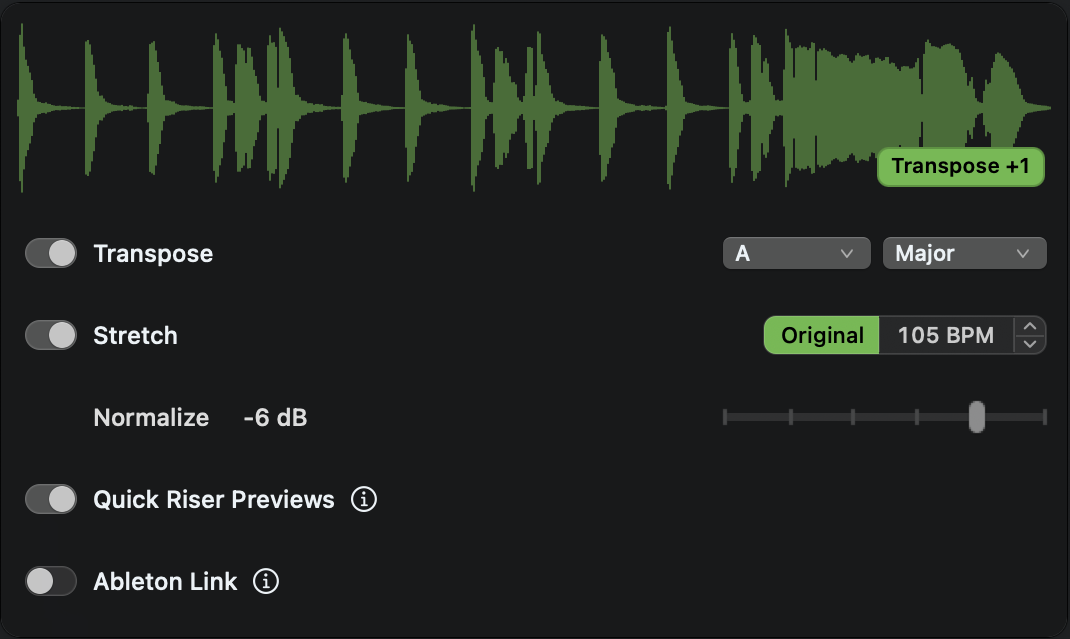
Automatically see the waveform as you browse. Move the pointer over it for Transpose, Stretch, Normalize, Quick Riser, and Ableton Link controls.
Volume-matched playback
No more loudness bias. Compare samples fairly with consistent volume levels.
No more blown eardrums. Set to 0 to -24 dB depending on the loudness of the track you’re working on.
Quick Riser Preview
Quickly audition risers and transitions — hear just the tail or the build-up to find the right one faster.
NKS preview
Hear Native Instruments presets right in Finder: Kontakt, Massive, FM8, Battery, Reaktor, Maschine, and all NKS-compatible libraries.
Broad format support
Preview common audio, loop, sampler, and MIDI formats directly in Finder. See list
MIDI previewing
Instantly preview MIDI files with real-time playback.
Join the community
The sky’s the limit. Purchasing lets you vote on what ships next. Access to the Feature Board is in the app tray menu.
Why Producers Love FAT
Designed for sample hunters.
Fly through samples at the speed of thought with gaming-inspired hotkeys.
Keyboard Shortcuts
Playback
↑ / ↓
Navigate & play files
→
Replay current file
Ctrl + ← / →
Seek ±4 seconds
Ctrl + ↑ / ↓
Transpose ±1 semitone
Esc
Stop playback
Ctrl + A
Enable/disable Autoplay
Other
Shift + →
Cycle tag (Green → Yellow → None)
Shift + ←
Move to trash
Ctrl + W
Waveform display
Ctrl + S
Show Stashes
Works in Column View (⌘3) and List View (⌘2).
Ultra-lightweight
Menu bar app: stays out of your Dock.
Non-destructive: no CPU when idle, minimal RAM, no files are touched.
Quit the app and Finder returns to normal.
Waveforms, your way.
Choose your style, screen placement, with native macOS light-dark mode.
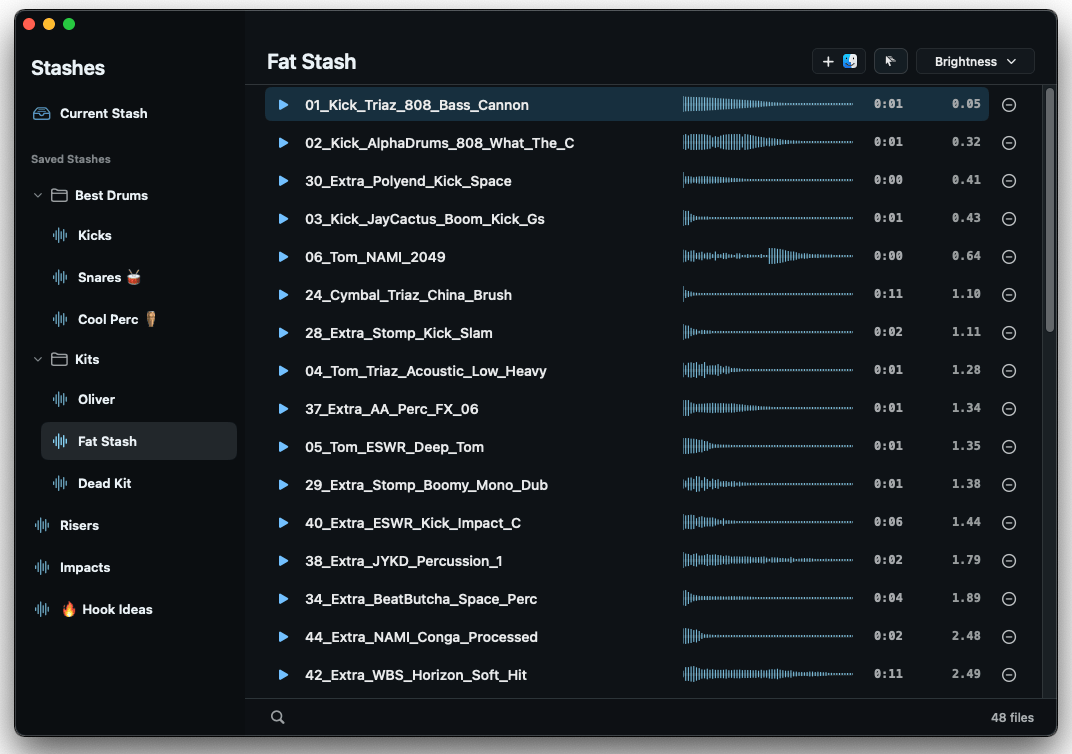
Stashes
Stashes pop up over Finder (⌃S) so you can collect sounds while you browse.
Organize by project, drum kit, favorite effects, or anything else, then drag into any app, DAW or sampler.
Power tips
Add Finder selections with ⌃F.
Sort samples by brightness: especially useful for drum kits, so your kicks start on the bottom, snares in the middle, and cymbals on top. Then drag them into your sampler so they’re mapped that way.
Uses aliases to save disk space and avoid broken links.
Lock in your price
Early pricing. Free updates forever.
Limited Time Offer
$49
$99
The price will rise as we ship new features, but your license works forever.
WAV (including 16-bit, 24-bit, and ACIDized WAV), AIFF, CAF and Apple Loops, MP3, M4A, AAC, FLAC, ALAC, OGG, WavPack, Sound Designer II (SDII/.sd2), REX/RX2, NCW (Native Instruments), and MIDI are supported. REAPER projects (.RPP) also play when an .RPP-PROX preview is present.
NEW! NKS Preview Support: Automatically plays preview audio for Native Instruments presets — Kontakt, Massive, FM8, Battery, Reaktor, Maschine, and all NKS-compatible libraries. No setup required.
Why macOS only?
Finder Audio Tools uses system-level APIs that are not available on other platforms.
To make a Windows version, we’d have to build it from the ground up.
How does it work?
When you select an audio file in Finder, FAT loads neighboring samples into RAM, essentially creating a sampler instrument. No more waiting for slow Finder animations and disk seek times.
It also circumvents a decade-old bug in Finder that cuts off the first few milliseconds of a sample when playing it a second time, which is especially unacceptable for drum samples.
How do I vote on new features?
In the menu tray, select Suggest Features
That will take you to the Feedback Portal, where you can see all suggested features and their upvotes. Vote for your favorite features, or suggest something new!
What kind of features are on the voting board?
At launch, there are 23 features that span a few categories — here are a few examples:
Playback upgrades: Loop mode, playing multiple files at once, pitch-shifting samples on the fly…
Visualization: Waveform and spectrogram views without leaving Finder…
Batch file operations: Bulk renaming, format conversion, auto-tagging filenames with BPM or duration…
MIDI improvements: Better audition sounds, controller support of audio playback, MIDI chord monitoring…
Navigation: Vertical tab navigation, jump back to most recent tab, folder-based notes…
Some are small quality-of-life additions. Others are major features that could change how you work.
Are updates free?
Yes. Every feature that ships is a free update. No subscriptions, no paid tiers.
Demo
Fill out this form for a 20 day demo.
If you want to buy now, we also offer a 20-day refund — no questions asked. So you’re welcome to purchase and try it risk-free.
If it’s not for you, simply deactivate your license (Options > Deactivate), let us know, and we’ll verify the deactivation and issue a full refund.
Installation
1. Open the DMG and drag to the Applications folder. Eject the DMG.
2. Launch and grant permissions when prompted
3. Access settings from menu bar icon
Requirements
• macOS 12.0+ (Monterey or later)
• Launch at Login available on macOS 13+ (Ventura)