

Bag
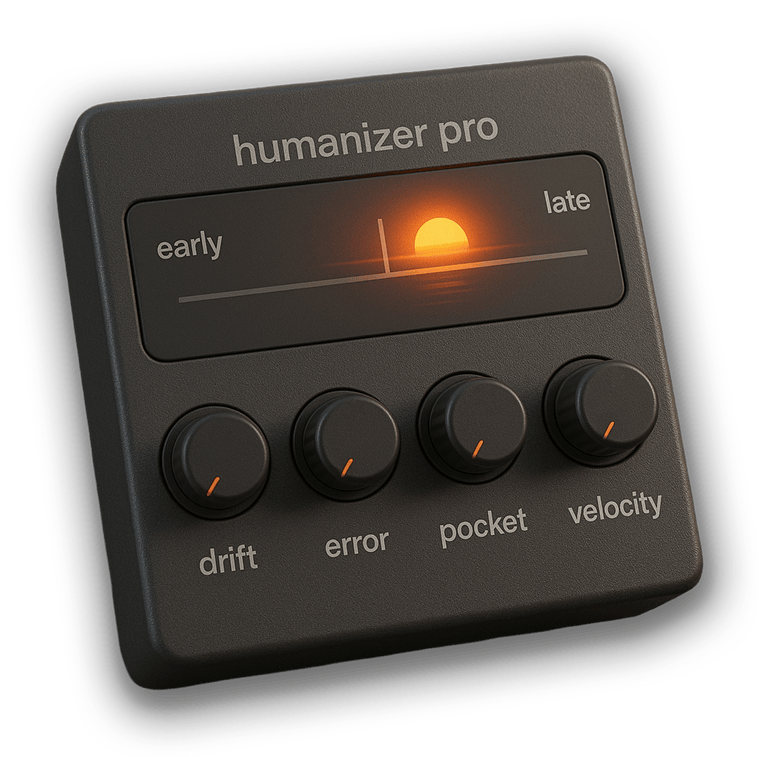
An Ableton Live device that accurately models the human timing and velocity imperfections that make music feel alive.
Anyone who buys Humanizer will receive the plugin versions at no extra cost.
Quantization. Repeating regions. MIDI can be precise, and perfectly… lifeless.
Even if you play-in a part, it gets stale when looped over and over. It’s ignorable.
Where’s the natural variation that keeps listeners engaged for an entire song?
Humanizer Pro thinks like a musician.
Real performers have an internal clock that’s beautifully imperfect.
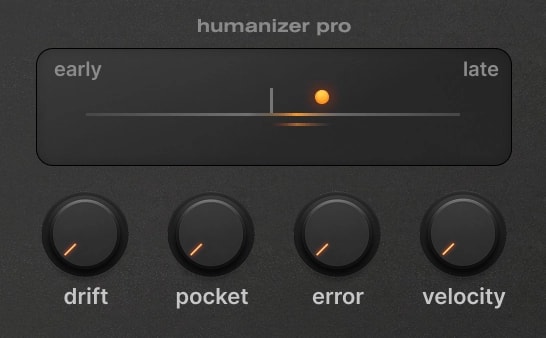
Intentionally, musicians push ahead for drive, or lay back for soul (Humanizer’s Pocket knob).
Unintentionally, the natural psychological drifts around the pocket create a push and pull of their own. A tension-and-release that, even in small amounts, is a constant source of anticipation and closure (Drift knob).
And don’t forget the physical timing and velocity imperfections from the act of playing – striking percussion, picking strings, pressing keys (Error and Velocity knobs).
Humanizer Pro is the first tool to capture all of this human magic. It’s the difference between MIDI and music.

Keep it subtle for a highly-skilled musician.
Dial it up for some real funk.
Or simply use the default tuning and “set it and forget it”.
Hover below for detailed explanations.
Play the demo, then turn Humanizer off. Notice how it feels: cheap, like the first MIDI you ever drew in with your mouse.
When humanized, music just sounds good: chords sound fuller, leads keep your attention longer, hard-panned layers sound more stereo, and drum machines become human after all.
If you program MIDI with your mouse
Humanizer Pro is ideal for you.
Do you play all your MIDI live?
Great, you’re most of the way there. But even good performances get boring when looped. Use humanizer to make sure it never repeats the same way twice in your entire song, even when you’re looping your MIDI regions.
Do you make modern pop, dance or hip-hop?
Modern music enjoys sparse arrangements that benefit heavily from adding micro-details to stay interesting and feel “filled out”. Variation goes a long way.
Does this improve my mix?
A little bit. Use the Pocket knob to adjust whether an instrument stands out or blends into the mix. Psychoacoustic temporal masking is where notes tend to cover-up quieter notes played at the same time, or anything played immediately after. This can make such a difference that music producers often shift drums and other instruments by milliseconds to find that perfect energy.
As a MIDI effect, Humanizer Pro doesn’t overwrite your performance, it only modulates the existing timing (note-on and note-off!) and velocity. The display shows you how the timing is being changed in real-time.
It keeps any existing timings or groove templates, and just modifies from there. You still write the rhythm, choose the swing amount, groove, etc. You can think device as a “polish” layer to make it sound like a human performed the part you wrote. That said, you can shift the pocket early/late in Humanizer Pro, which can have a great effect on the groove.
Sure. Once you’ve dialed in some groovy settings, record the MIDI onto a new MIDI track. Drag that over your old MIDI, and you’ll now have a “live” recording of your part that you can tweak however you’d like.
No. We tested 100 instances simultaneously and Live barely noticed. It’s just MIDI.
Yes. Group the device and use Ableton’s Key Zone Editor to bypass specific note ranges. Instructions are in the manual, as well as a download link for an Ableton Rack we made for you.

If you are using Ableton Live Suite, the most comprehensive version of the software, you’re in luck. Max for Live is automatically included with your installation, and you can run Humanizer Pro.
For users of Ableton Live Standard, Max for Live is available as a separate purchase.
Open up Live, and in your sidebar locate “User Library”. Drag the downloaded .amxd file into there. (Or a subfolder within, we recommend /User Library/Presets/MIDI Effects/Max MIDI Effect, then you can save a rack elsewhere.)
If you simply open the device in Ableton and click the Save Preset button, duplicates will start appearing when you use it in multiple tracks. It’s just a weird Live quirk.

Ableton Max4Live Device
This only runs inside Ableton Live with Max for Live installed. It is not a plugin and therefore not VST3, AU or AAX (yet).
Technology:
Give your music the soul of a live performance.

Humanizer was designed by Nathan Rightnour — music producer, technologist, and lifelong noise nerd. He started Wide Blue Sound to build the tools he needed, now used by tens of thousands of music makers worldwide. When he’s not making music, he’s mixing Old Fashioneds, at a music festival with friends, or on an adventure with the wife.